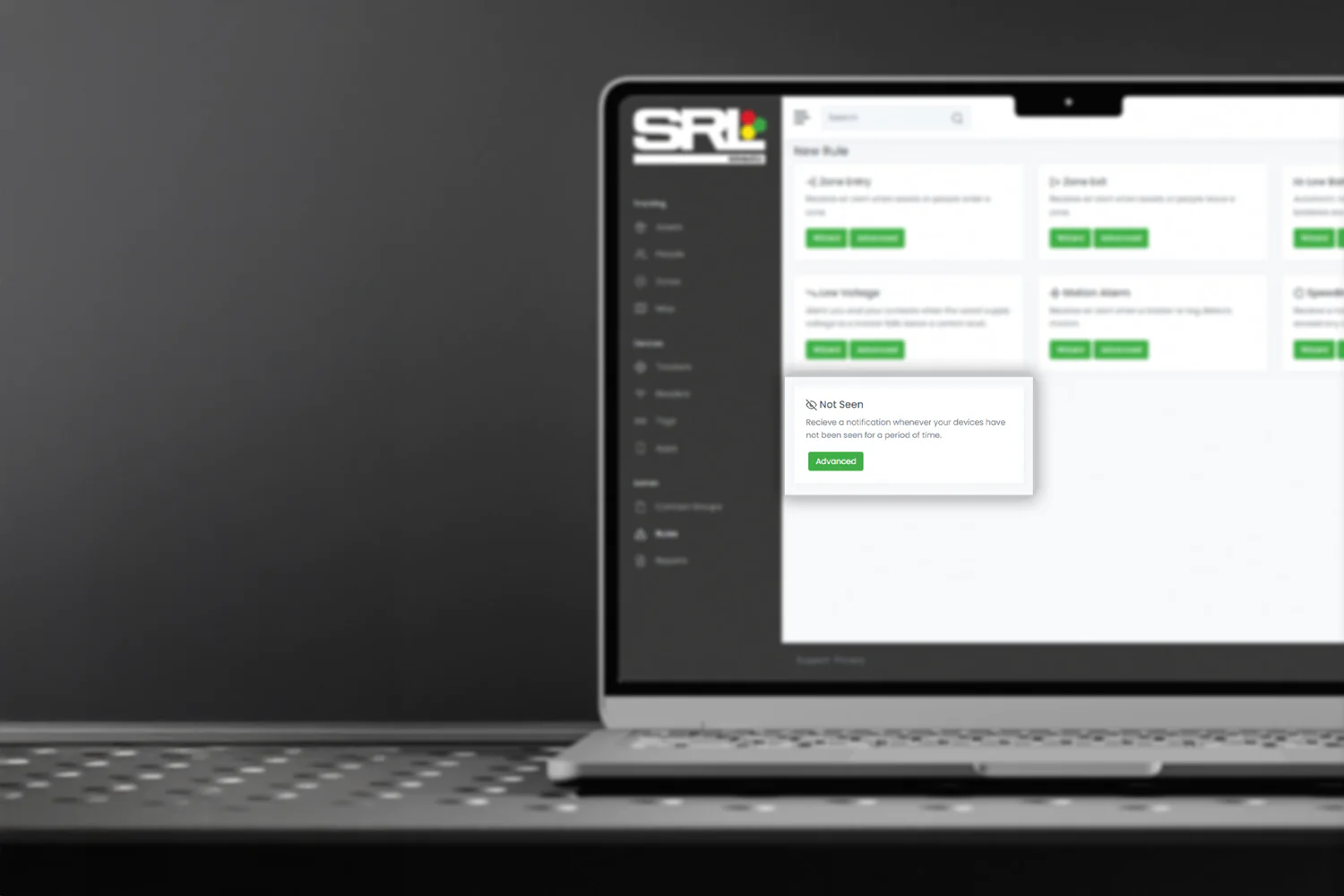
SRL Telematics already gives you full visibility of your assets – from battery charge levels and real-time location, to motion detection – helping you manage and maintain your equipment without the need for on-site checks.
Now, with the introduction of ‘Not Seen’ alerts, you can take that visibility one step further.
This latest feature sends a notification when an asset hasn’t checked in for a set period of time, giving you greater awareness and control across your fleet.
Why use ‘Not Seen’ alerts?
When managing multiple assets across different sites, it’s not always obvious when something has gone quiet.
The Not Seen alert ensures you stay informed, highlighting when a device hasn’t reported back – so you’re always one step ahead.
Whether it’s identifying inactive equipment, connectivity gaps, or assets that may require attention, you’ll have the visibility needed to act quickly and confidently.
How to set up ‘Not Seen’ alerts
Setting up Not Seen alerts is simple!
Telematics users can log in to the online portal and activate the alert for their selected assets by following the steps below:
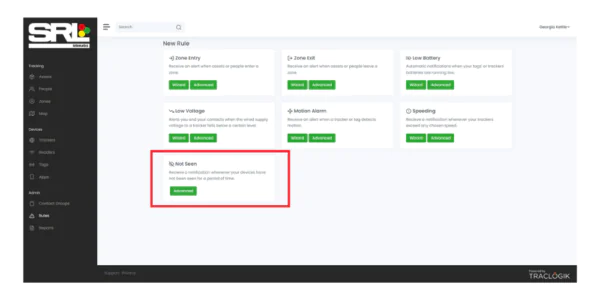
- Select the ‘Not Seen’ alert from within the Rules dashboard
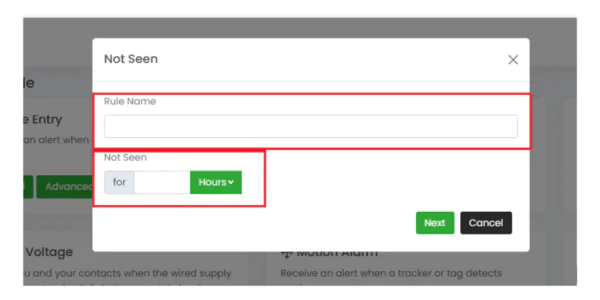
- Give your alert a name and choose the time period — this defines how long an asset can go without checking in before the alert is triggered (minimum 4 hours)
- Finally, on the next page Add your deployed assets, ensuring you click ‘Link’ for each one
From here, you can also schedule the alert, assign contacts to receive notifications, and view any recent alerts.

If you need any support or guidance setting up the Not Seen alert, our team is on hand to help.
Complete visibility with SRL Telematics
The Not Seen alert joins our existing suite of telematics notifications, designed to keep you informed at every stage:
- Zone Entry – Know when assets or people enter a zone.
- Zone Exit – Know when assets or people leave a zone.
- Low Battery – Notifies when your asset’s batteries are running low.
- Low Voltage – Alerts you and your contacts when the wired supply voltage to a tracker falls below a certain level.
- Motion Alarm – Receive an alert when a tracker or tag detects motion.
- Speeding – Receive a notification whenever your trackers exceed any chosen speed.
- New Not Seen – Notifies you whenever your asset has not been seen for a period of time.
Want to know more?
To find out more about SRL Telematics and how it can support your operations, visit our Telematics page.
For help setting up Not Seen alerts or for further guidance on Telematics, email Gary Reid at [email protected]